Payroll
Payroll for Cambodia, checked before you pay.
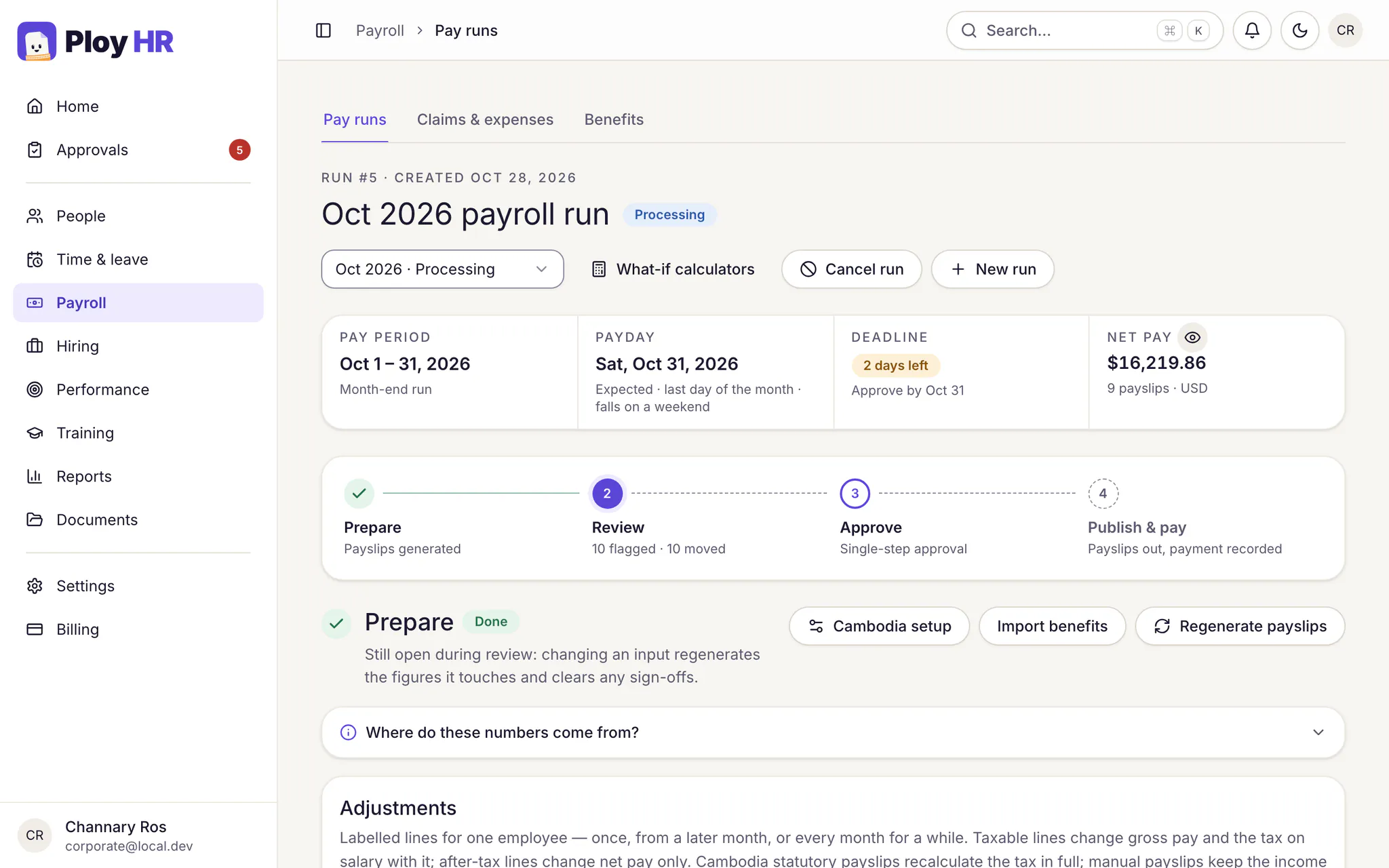
Pay salaries in USD with Cambodian salary tax and NSSF calculated in riel, approved overtime and unpaid leave already counted, and a four-step run that shows what changed before anyone approves.
What's included
The rules and the arithmetic, built in.
Salary tax
Progressive resident salary tax with dependant relief, or the flat non-resident rate, worked out in riel at the GDT rate you record for the month.
NSSF contributions
The employee's pension and the employer's pension, occupational risk and health care contributions, each calculated from the contributory bases you confirm.
Overtime and unpaid leave
Approved overtime paid at 150%, or 200% on rest days and public holidays. Unpaid leave deducted at the daily rate of the pay basis you choose.
Joiners, leavers and net salaries
Pay is prorated for anyone who joins or leaves mid-month, and a salary agreed as net is grossed up so the salary itself nets exactly the agreed amount.
Loans and advances
Record a staff loan or a mid-month advance once; each run deducts the instalment after tax until the balance reaches zero.
Payslips and journals
Employees open and download PDF payslips, with the riel tax and NSSF figures beside the USD amounts. Accrual and payment journals are ready for your accountant.
The run
Four steps, and nothing approved blind.
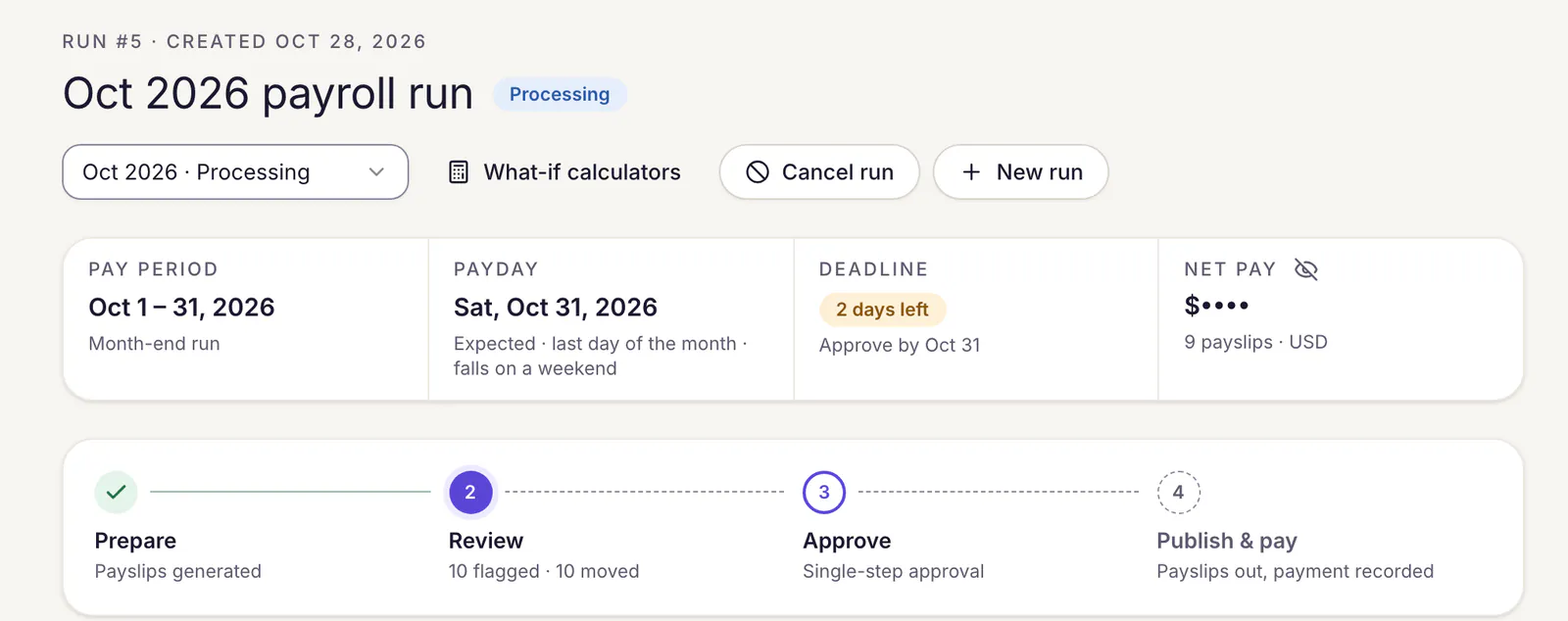
Prepare generates every payslip. Review compares the run with last month. Approve locks the run and releases the payslips to employees. The last step records the payment you made.
- Flags a negative net, a payslip that is new or missing since last month, a currency change, or a net that moved 10% or more.
- Payday and the approval deadline sit at the top of every run.
- Change an input during review and only the figures it touches are recalculated.
Payslips
Payslips your staff can read, and keep private.
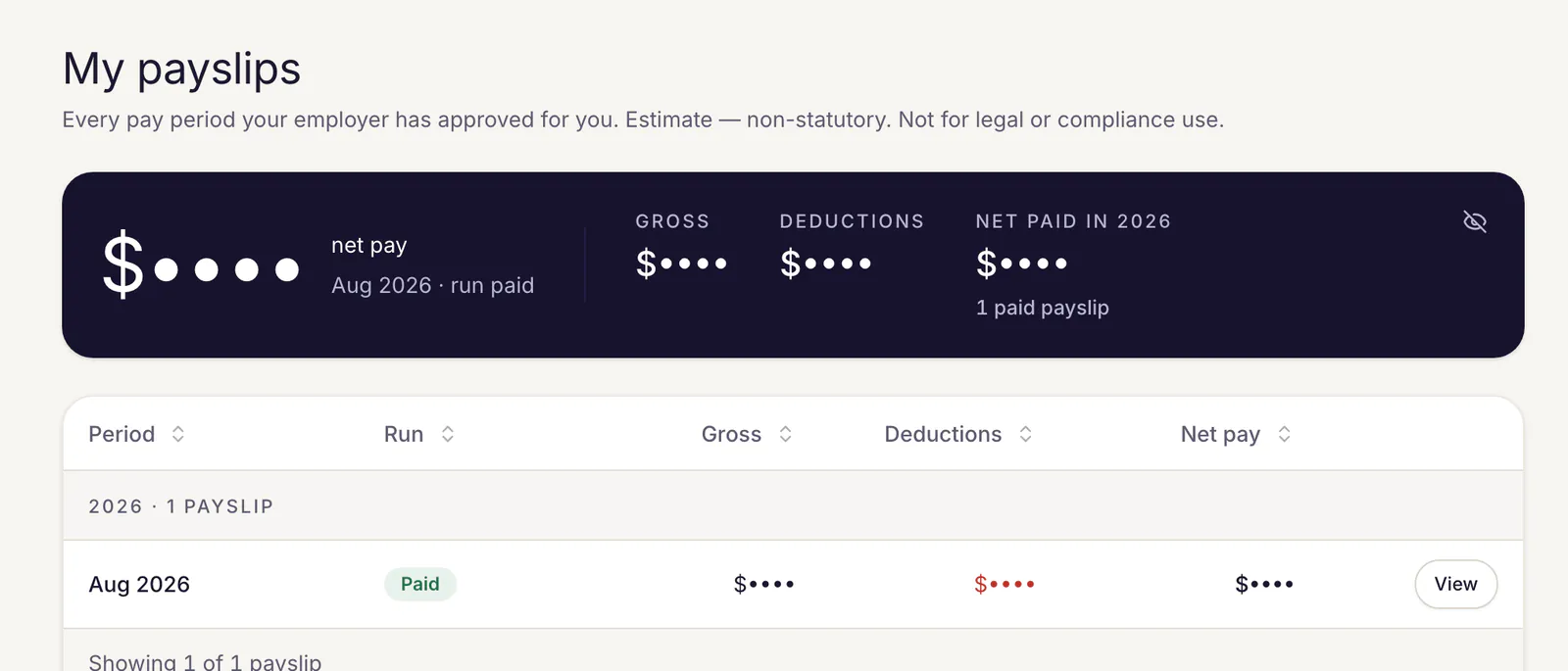
Each employee sees their own payslips in their self-service desk, on the web or a phone, and downloads any of them as a PDF.
- Pay is hidden behind dots until the employee chooses to show it, so it is never read over a shoulder.
- Statutory payslips carry the riel salary tax and NSSF lines under the USD amounts.
- Every payslip states whether its tax was calculated under Cambodian rules or entered by hand.
Questions
Good to know.
Does Ploy HR file our TOS and NSSF returns?
No. Ploy HR calculates salary tax and NSSF and keeps the figures, in USD and riel, on each payslip. It does not prepare or submit returns to the GDT or the NSSF.
Which exchange rates does it use?
The ones you record. Each run stores the GDT salary-tax rate and the NSSF rate separately, each with its date and reference. No rate is assumed or fetched in the background, and an approved run keeps the rates it was approved with.
Can some payslips stay manual?
Yes. A payslip can stay manual, with tax and contributions typed by HR. Manual payslips are marked as estimates, and a run can mix both.
Who can see pay?
Only team members you give payroll access to can open payroll. Employees see their own payslips, and pay amounts start hidden on screen until the viewer chooses to show them.
See your payroll in Ploy HR.
Bring last month's figures to a demo and we will walk through a run with you, from the first payslip to the payment.
Pilot workspaces are free. Nothing is billed yet.