Skip to content

HR and payroll software for Cambodia

HR and payroll for Cambodia, in one place.

Run payroll in USD with salary tax and NSSF worked out in riel, track clock-ins and leave, and let managers approve leave from Telegram. Employees get payslips and requests in one self-service desk, and hiring and training live in the same workspace.

Pilot workspaces are free. Nothing is billed yet.

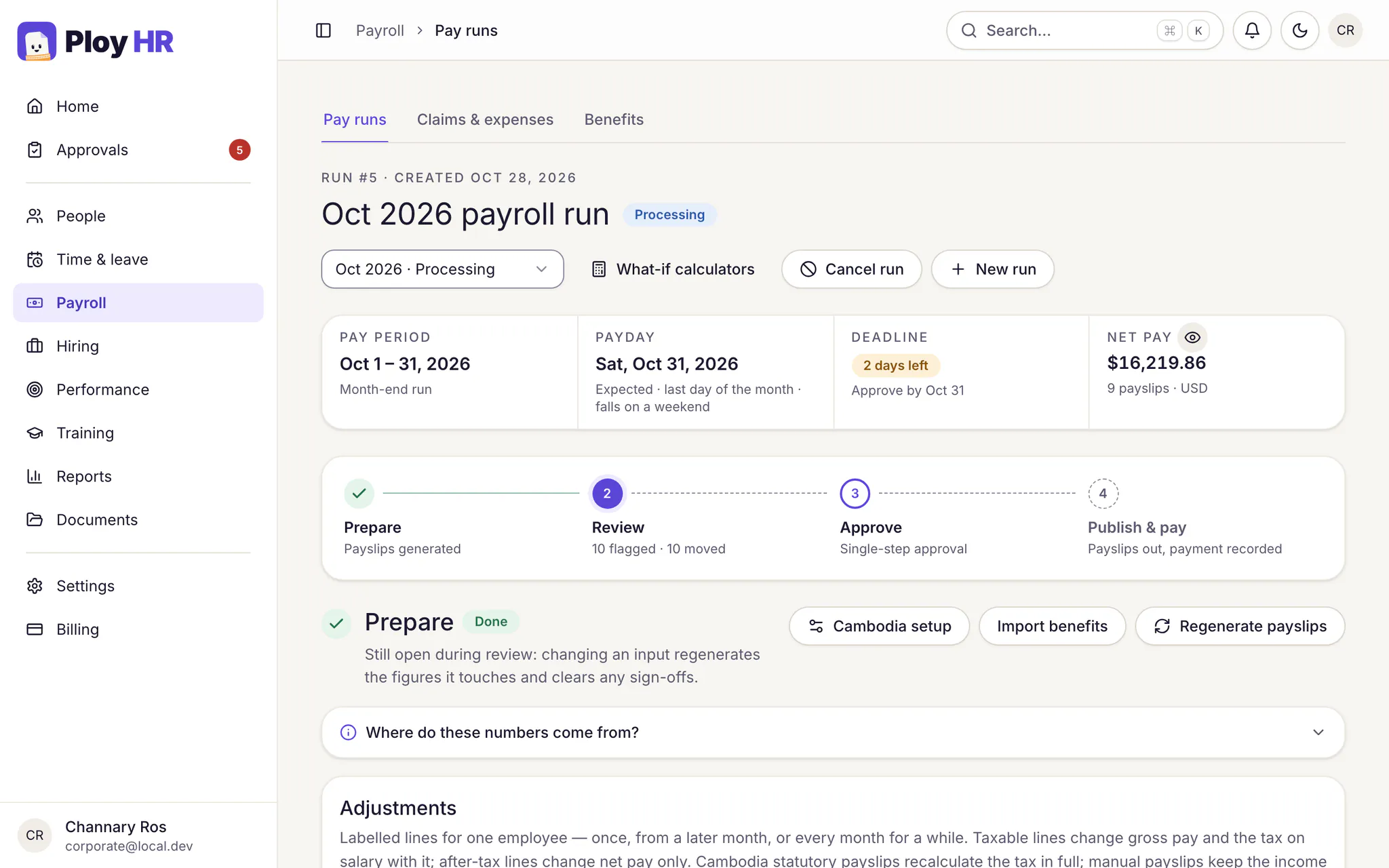
The Ploy HR payroll run for October 2026: pay period 1 to 31 October, payday on Saturday 31 October, two days left to approve, net pay of $16,219.86 across 9 payslips in USD, and the four steps Prepare, Review, Approve, and Publish and pay.
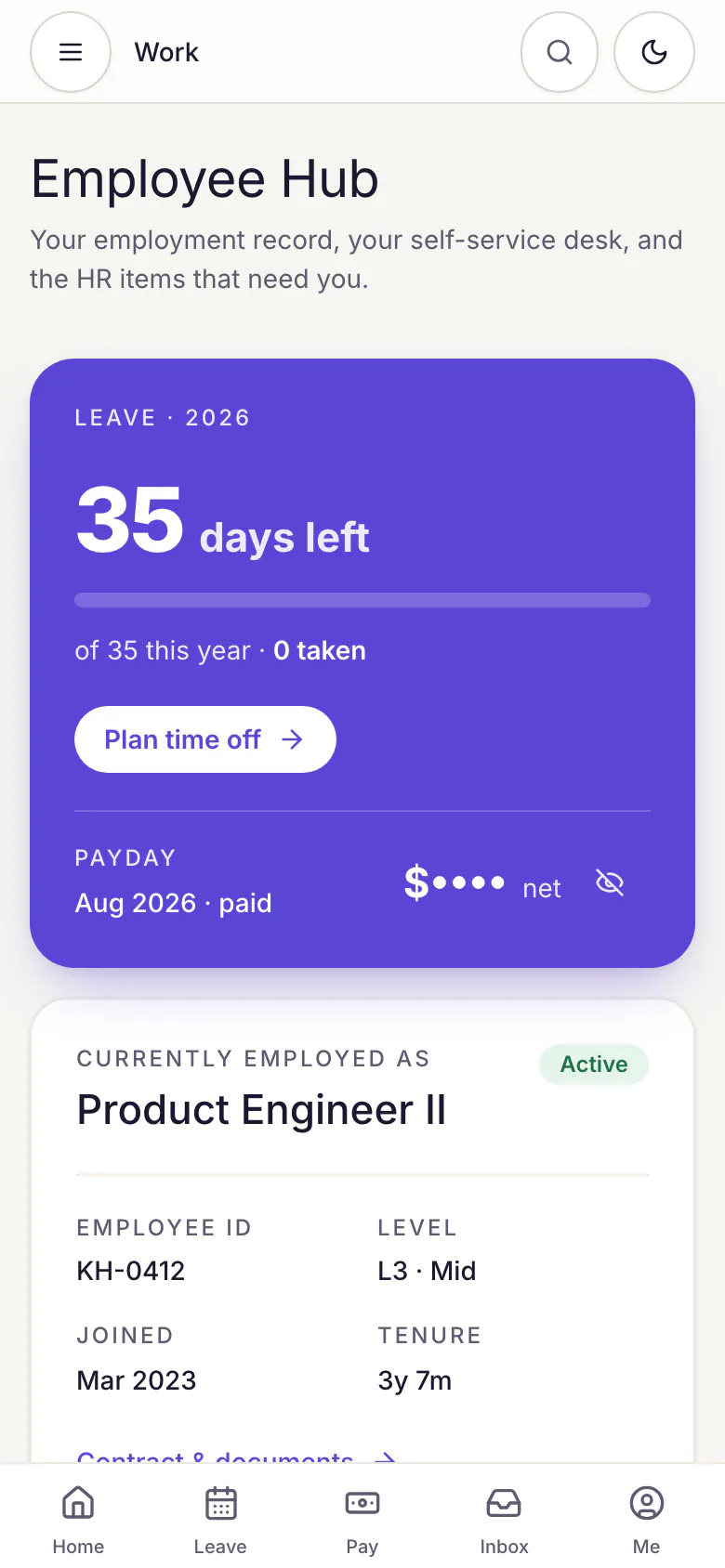
The Employee Hub on a phone: 35 days of leave left, payday with the amount hidden, and a bottom bar with Home, Leave, Pay, Inbox and Me.

Real Ploy HR screens with sample people and figures.

Built around how work and pay run in Cambodia.

  • Salary tax and NSSF

    Pay salaries in USD. Salary tax and NSSF contributions are worked out in riel at the GDT and NSSF exchange rates you record for the month, and the riel figures stay on the payslip.

  • Leave approvals in Telegram

    Approvers get a Telegram message with Approve and Reject buttons for leave. Claims, payroll and pay changes always open in Ploy HR instead.

  • Clock-in at the office

    Office staff clock in from their phone only inside the office radius. A shared kiosk at the entrance takes six-digit PINs.

  • Phnom Penh dates

    Every attendance day, leave day and pay period is dated in Phnom Penh time, never the server's, so a late shift lands on the right day.

01 · Run HR

Everything HR runs each month, from clock-in to payday.

Payroll, attendance, leave and approvals share one employee record, so approved overtime and unpaid leave are already in the run when payroll starts.

Payroll

A payroll run you can check before you pay.

Each run walks through four steps: prepare the payslips, review what changed since last month, approve to lock the run and release the payslips, then record the payment.

  • Salary tax and NSSF calculated under Cambodian rules, with resident and non-resident tax and dependant relief.
  • Approved overtime paid at 150%, or 200% on rest days and public holidays, and unpaid leave deducted from the pay basis you choose.
  • Allowances, bonuses, advances, loans and one-off adjustments, each on its own payslip line.
  • PDF payslips for every employee, and accrual and payment journals for your accountant.
Explore payroll
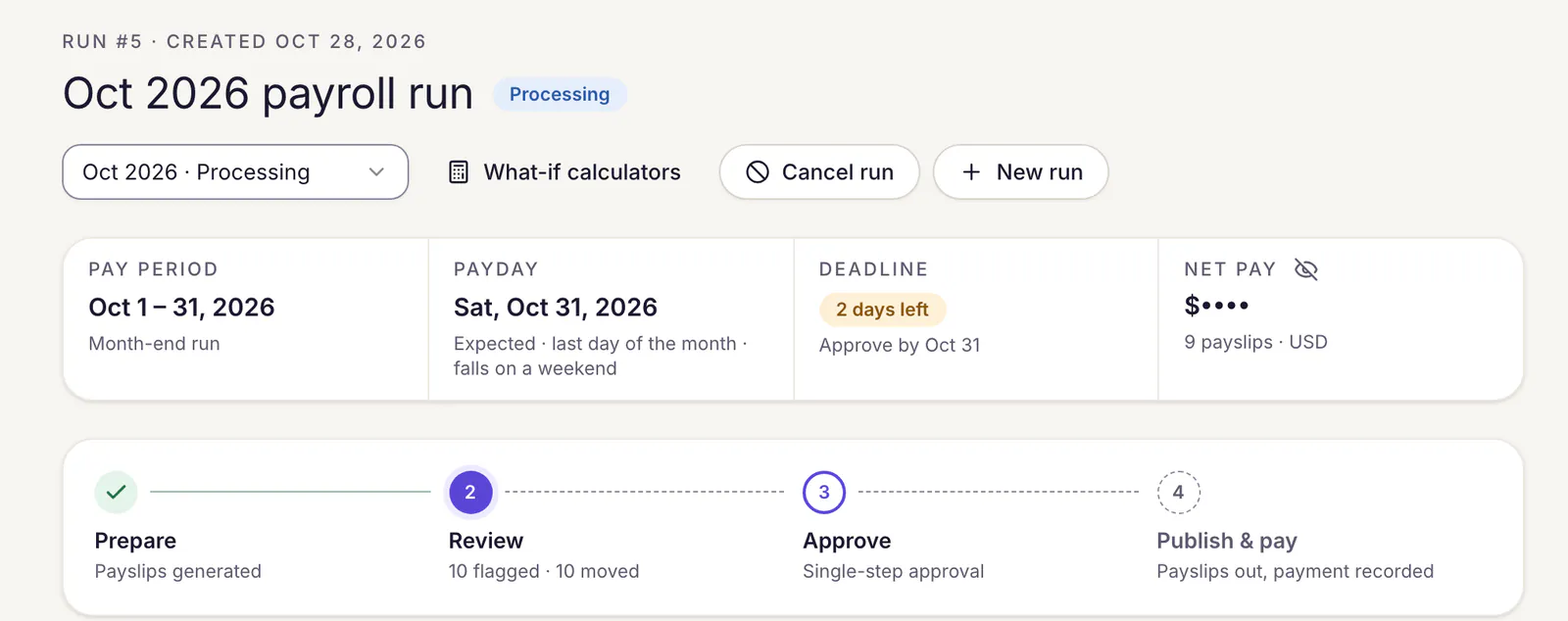
A payroll run's header: pay period, payday, the approval deadline and net pay, above the four steps Prepare, Review, Approve, and Publish and pay.
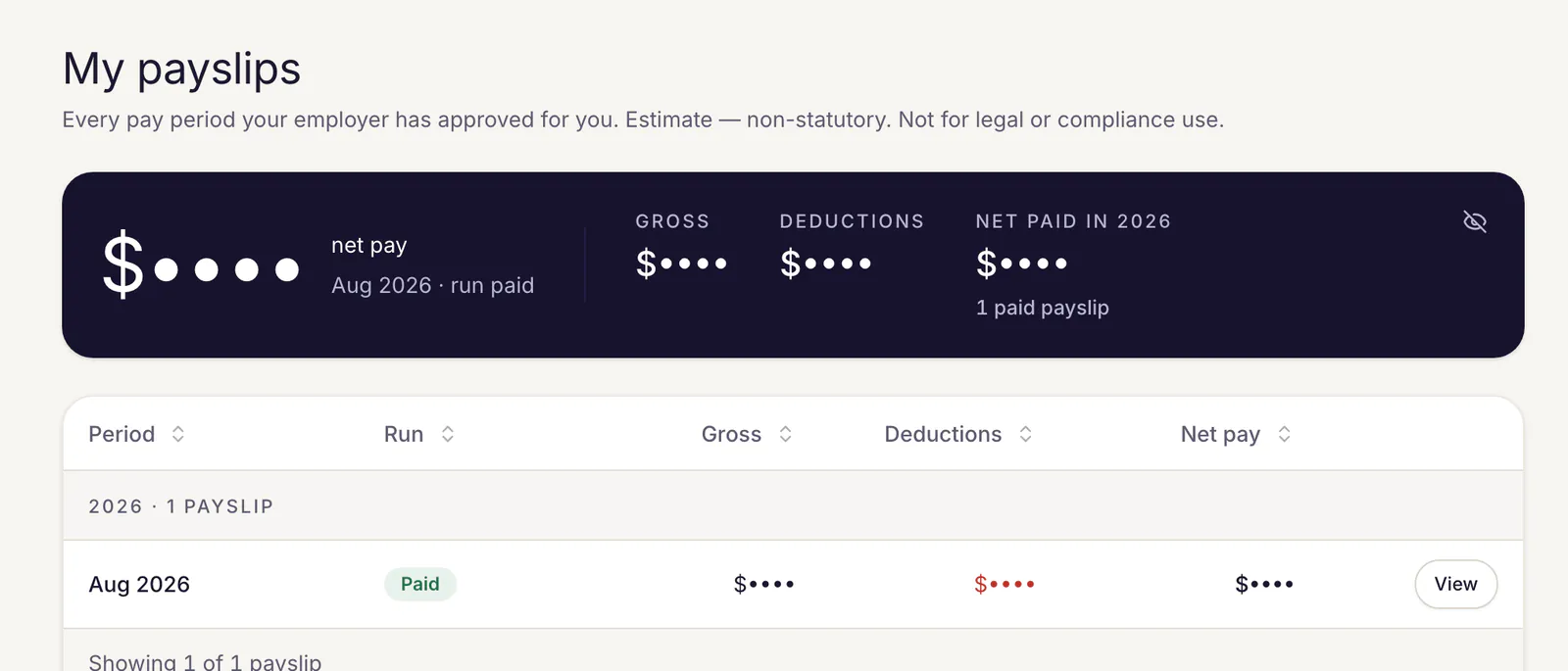
An employee's My payslips page: net pay shown as dots until they choose to reveal it, with gross pay, deductions and net paid this year, and the list of paid payslips.

Attendance and leave

Know who is in, who is off and who is late.

Clock-ins, shifts, rosters and leave land on one month grid, with the exceptions that need a decision counted at the top.

  • Clock in from a phone or the web, with an office location check for staff who must be on site.
  • An entrance kiosk with six-digit PINs, shifts and monthly rosters your department heads submit.
  • Leave types, balances and sick notes, plus overtime and remote-work requests.
  • A team calendar, and who else is out shown while an employee plans their leave.
Explore attendance and leave
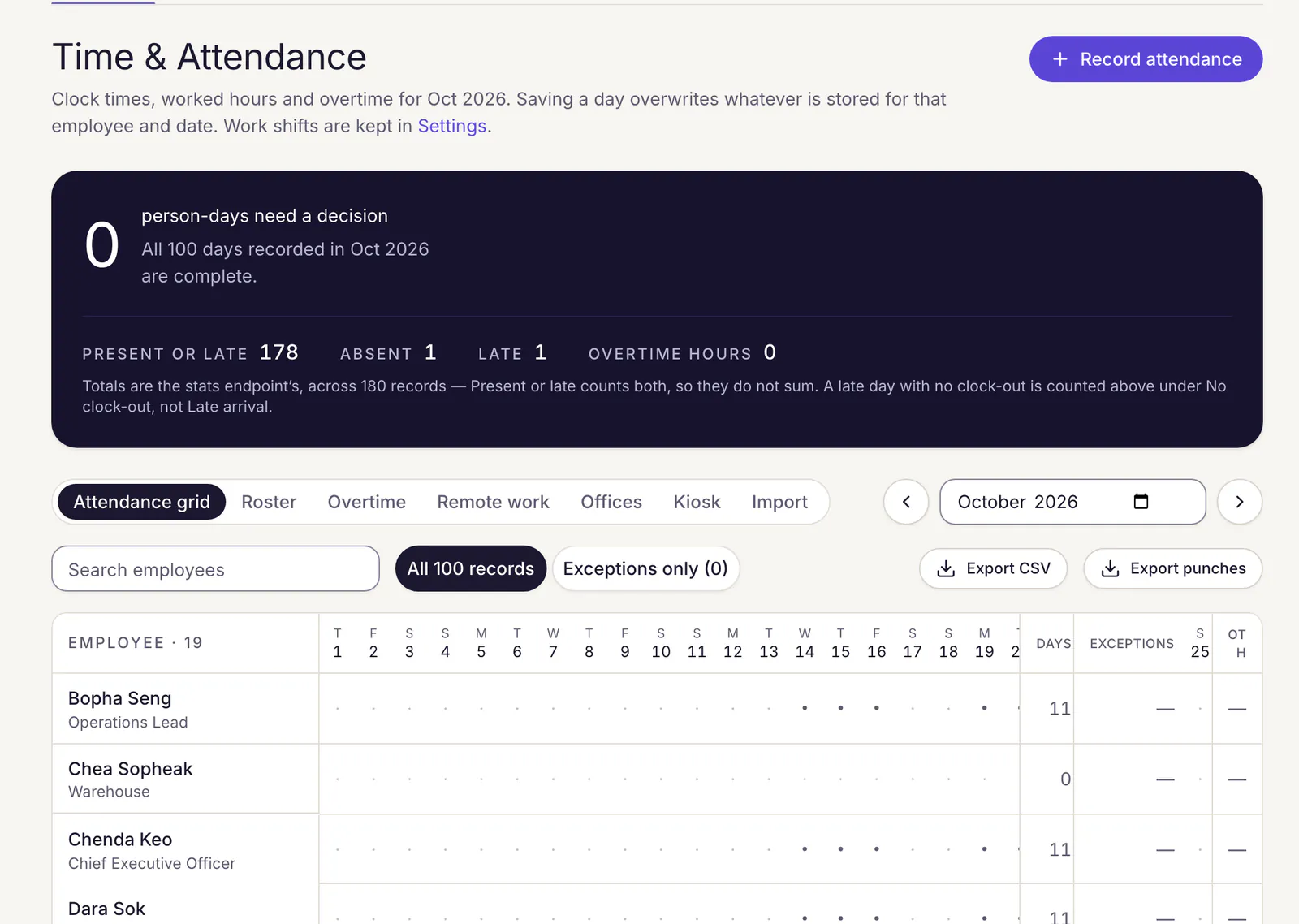
HR's Time and Attendance page for October 2026: 178 present or late days, 1 absence and 1 late arrival, tabs for roster, overtime, remote work, offices, kiosk and import, and a day-by-day grid per employee.

Approvals

Approvals that don't wait for a laptop.

Every request follows your approval chain, step by step, and lands in one inbox. Leave can be decided straight from Telegram.

  • Approval chains of up to ten steps, such as line manager, then HR.
  • Approve or reject leave from a Telegram message; a rejection always asks for the reason.
  • One inbox for leave, claims, overtime and pay changes, with bulk decisions and keyboard shortcuts.
  • Delegate your approvals while you are away.
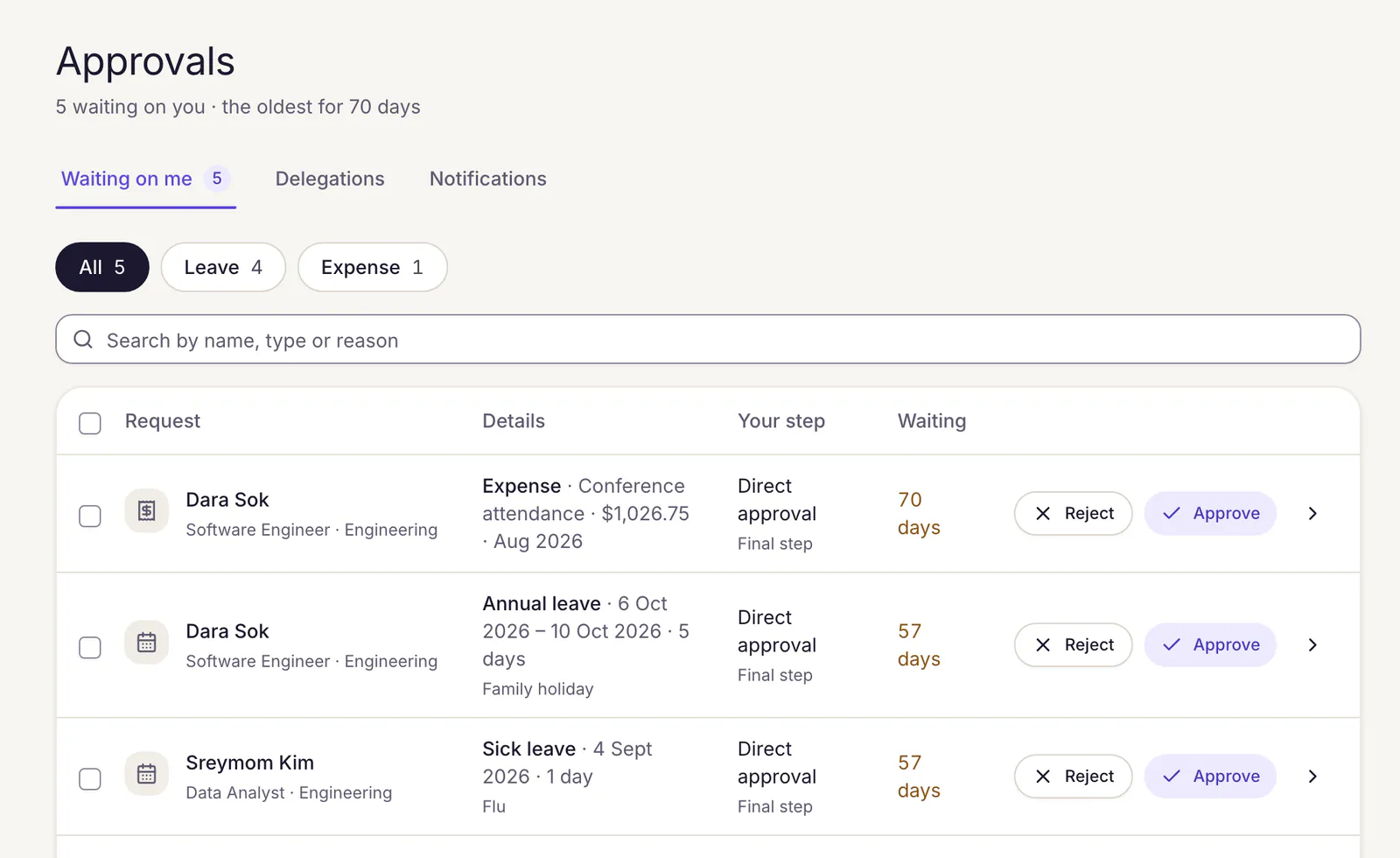
The Approvals inbox with five requests waiting: an expense claim and annual and sick leave, each showing the approver's step, how long it has waited, and Reject and Approve buttons.
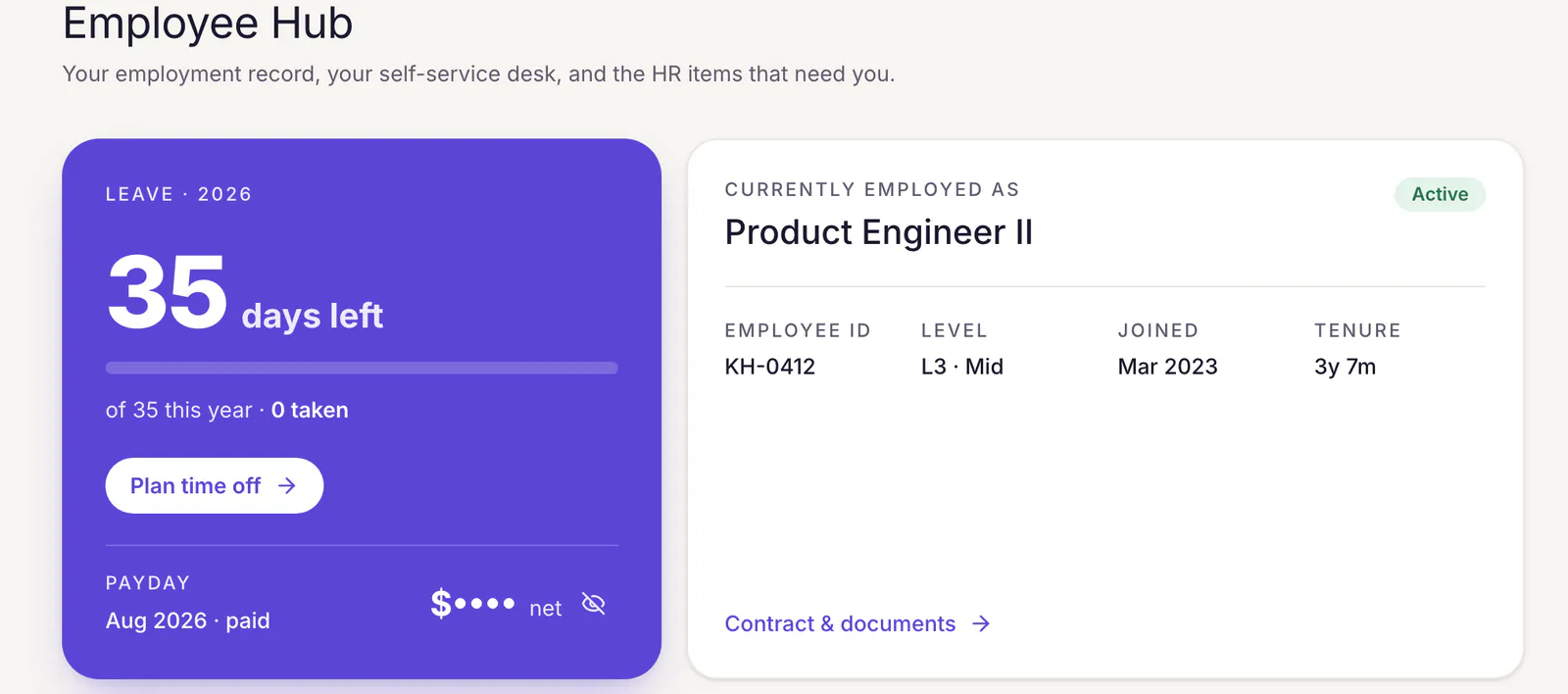
An employee's Employee Hub: 35 days of leave left this year with a Plan time off button, the August 2026 payday with the net amount hidden, and their job title, employee ID, level, start date and tenure.

Employee self-service

A self-service desk for every employee.

Staff answer their own questions: how much leave is left, when payday is, where the contract is. HR stops being the help desk.

  • Payslips to view and download, with pay hidden behind dots until the employee chooses to show it.
  • Leave balances and requests, expense claims with receipts, benefits and documents.
  • Changes to personal details go to HR for approval before they are saved.
  • Goals, self-evaluations and review results in the same place.

02 · Hire and grow

Hiring and training, in the same workspace.

A hired candidate goes from the pipeline board into your HR structure, and the courses your staff finish come with certificates anyone can check.

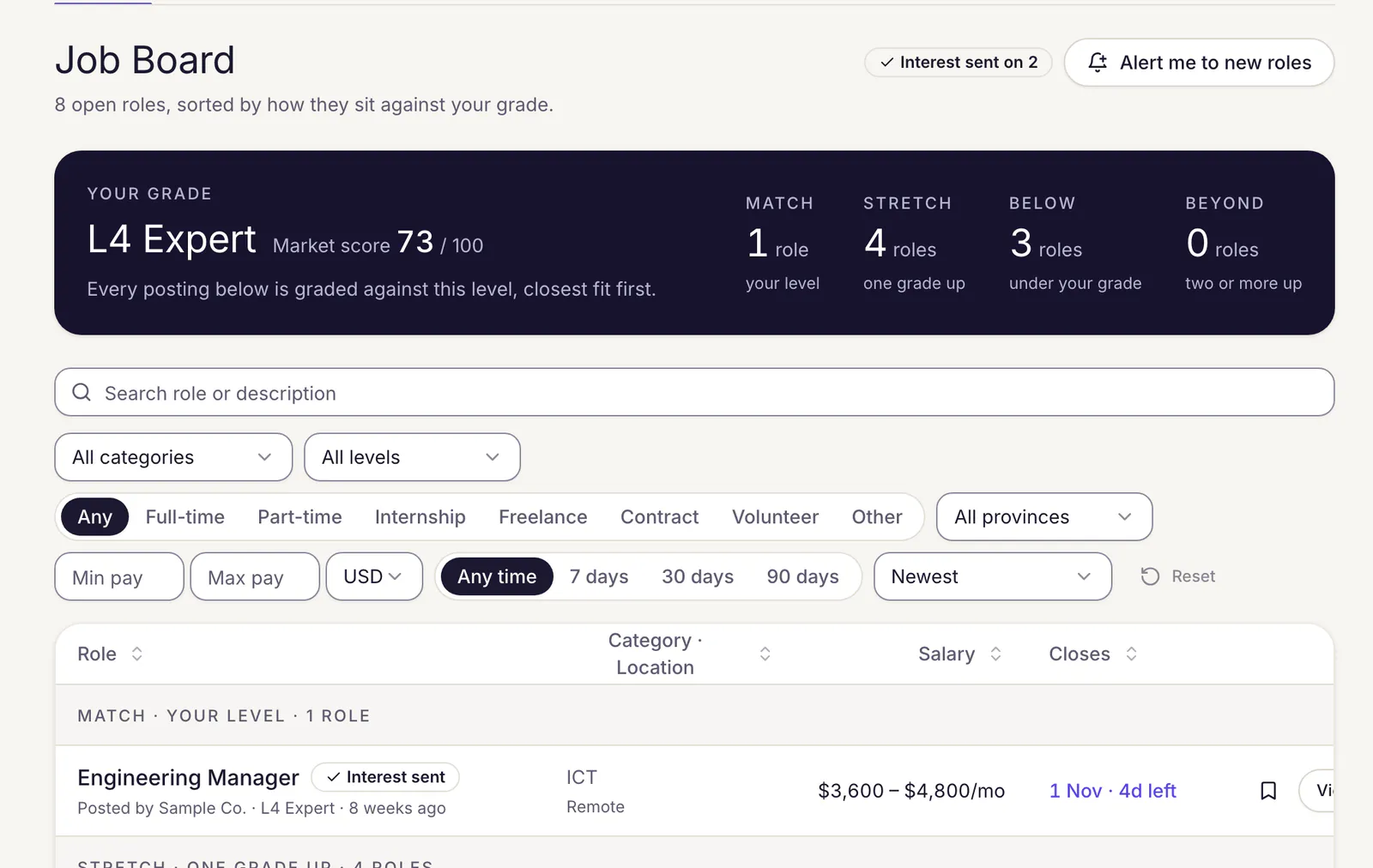
The job board as a candidate sees it: their grade, L4 Expert with a market score of 73 out of 100, open roles grouped by how they fit that grade, and filters for category, level, job type, province, pay and posting date.

Hiring

Hire on evidence, not guesswork.

Post roles to a public job board that search engines can read, move candidates through a pipeline board, and read each candidate's L-score: a level from L1 to L5 with the evidence behind every point.

Explore hiring
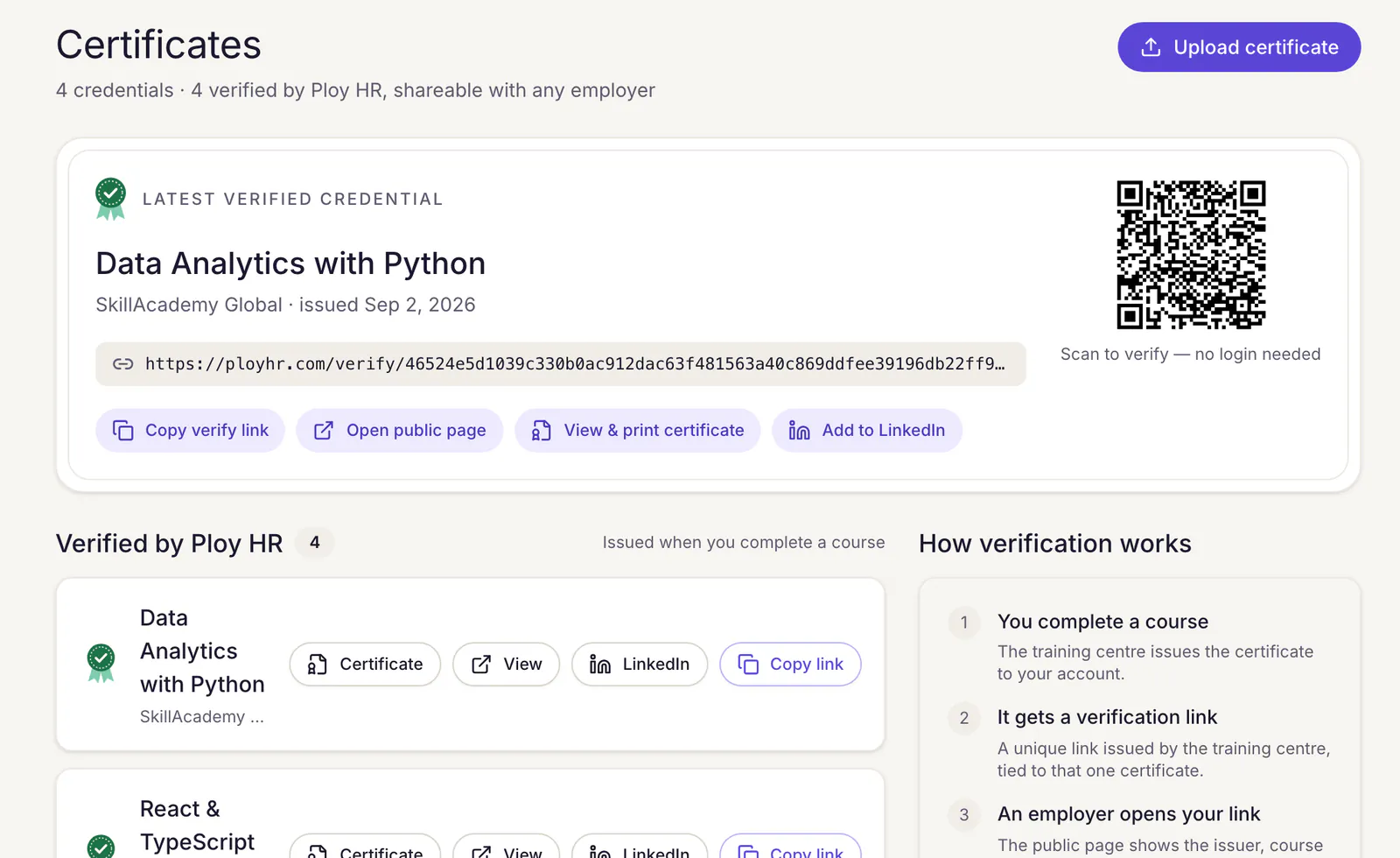

A candidate's Certificates page: the latest verified credential, Data Analytics with Python, with its verification link, a QR code anyone can scan, and buttons to copy the link, open the public page, print it or add it to LinkedIn, above the list of certificates and how verification works.

Learning

Training your team can prove.

Assign courses from training centres to your staff and follow their progress. Every certificate carries a QR code and a link that anyone can check, with no login.

Explore learning

Check a Ploy HR certificate

Paste the certificate id printed under its QR code. The holder, course, centre and issue date come back.

Security

Pay and people data, handled with care.

How we protect data

Two-factor sign-in

Authenticator-app codes and recovery codes for any account, with a lockout after five wrong codes.

Access by role and module

Each team member sees only the HR modules you grant, and each company's data is scoped to that company.

An audit log you can't edit

Significant HR actions are recorded with who did what to which record, in a log the product cannot change.

Comparing HR software?

Side-by-side pages built from each vendor's own public information, with sources.

Pricing

Start on the pilot. Pay nothing yet.

Company workspaces are included during the pilot, with every module switched on. Candidates are always free.

Company workspace

Payroll, attendance, leave, approvals, self-service, hiring

Pilot includedNothing is billed during the pilot.

Questions

What HR teams ask first.

Ask us anything else
Does Ploy HR calculate Cambodian salary tax and NSSF?

Yes. Salaries are recorded in USD. For each payroll month you record the GDT salary-tax rate and the NSSF rate, and Ploy HR calculates resident or non-resident salary tax, dependant relief, and the employee and employer NSSF contributions in riel, then converts them back at those rates. The riel amounts are kept on the payslip. Ploy HR calculates; it does not prepare or file TOS or NSSF returns.

Which approvals work from Telegram?

Leave requests. A linked approver gets a Telegram message with Approve and Reject buttons, and a rejection asks for a reason before anything is recorded. Expense claims, overtime, salary changes and the other requests are decided in the Approvals inbox, one at a time or several at once, and payroll runs are signed off on the run.

Can employees use it from their phones?

Yes. The employee self-service desk works in any phone browser: payslips, leave balances and requests, expense claims with receipts, documents, and clock-in. Staff who must be at the office clock in with their phone's location.

Is the interface available in Khmer?

Not yet. The interface is in English today. Names, CVs, and company and course titles written in Khmer display in a Khmer typeface.

Can we bring our current staff list?

Yes. Import employees from a CSV file, then invite each person to their own self-service account. Departments and reporting lines build the org chart.

What does it cost?

Company workspaces are included during the pilot and nothing is billed yet. Candidates are always free. See pricing for what each plan includes.

Bring your next payroll to a demo.

Tell us how you pay and track people today. We will walk through payroll, attendance and leave with your setup in mind.

Pilot workspaces are free. Nothing is billed yet.