Learning
Training your team can prove.
Assign courses from training centres, follow each person's progress, and issue certificates anyone can verify with a QR code, no login needed.
What's included
Courses in, proof out.
A course marketplace
Courses from training centres, organised into modules and lessons with video, that remember where each learner stopped.
Assign and follow
Assign a learning package to the employees who need it and see who has started, who is in progress and who has finished.
Training requests
Employees ask for the training they want, and HR reviews each request from the Learning catalog.
Certificates anyone can check
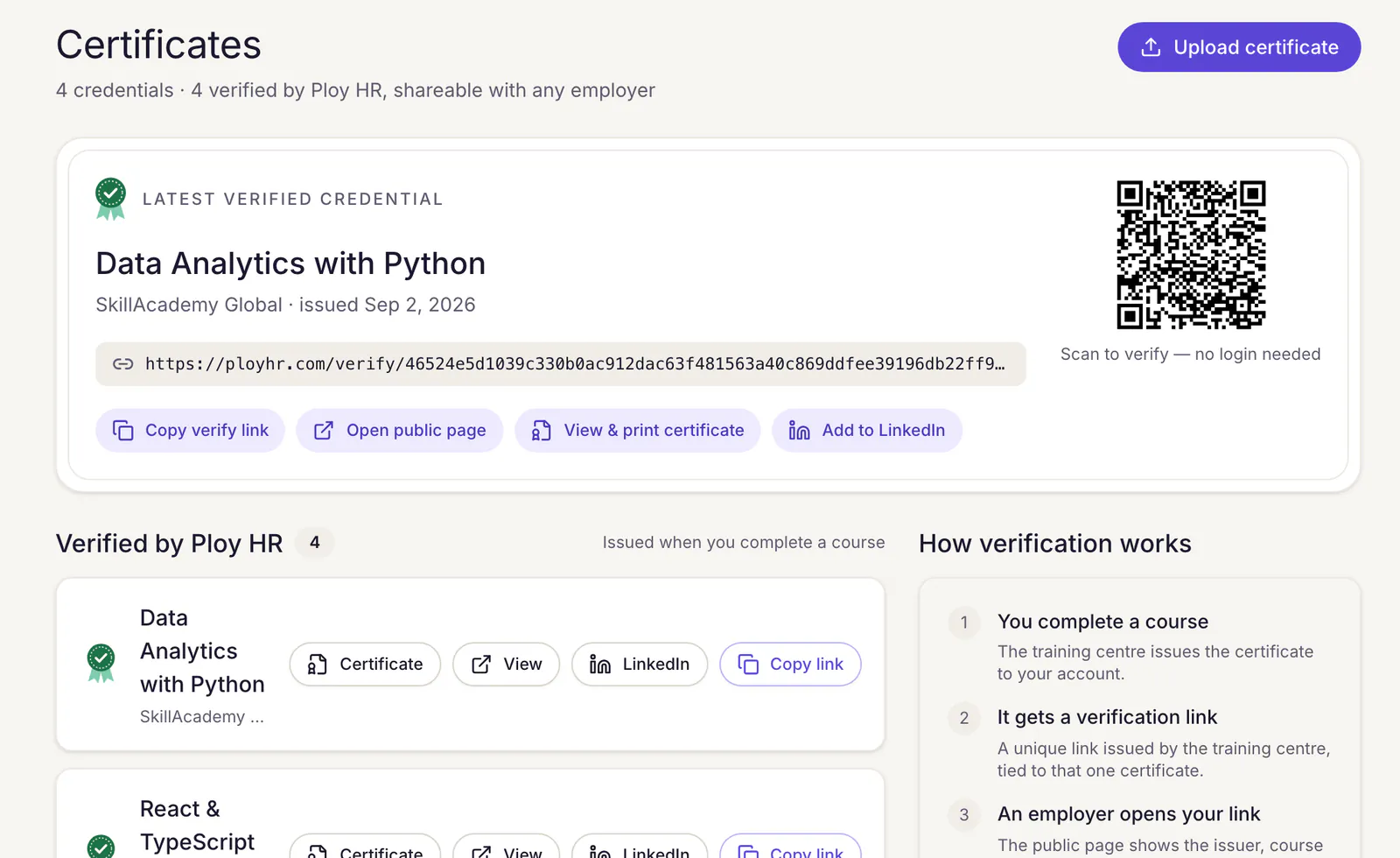
Finishing a course issues a certificate with a QR code and a verification link. The public verify page shows the holder, course, centre and issue date.
Shareable
Learners copy their verification link, print the certificate, or add it to their LinkedIn profile.
For training centres
Publish courses, manage enrolments and students, and design the certificate your centre issues.
Questions
Good to know.
Are there quizzes or graded assessments?
Not yet. Courses are lessons and videos, and completing a course is what issues its certificate. We will say so here when quizzes ship.
How does someone verify a certificate?
Scan the QR code or open the verification link printed on it. The verify page answers with the holder, the course, the issuing centre and the issue date, with no account needed.
I run a training centre. Can I publish courses?
Yes. A training-centre workspace publishes courses, manages enrolments and issues certificates. Workspaces are included during the pilot.
Make your training count.
See how courses, assignments and verified certificates fit alongside the rest of HR.
Pilot workspaces are free. Nothing is billed yet.